' defer='defer ' defer='defer ' defer='defer
Which is the best CMMS for industrial factories? Img

Which is the best CMMS for any factory?

Introduction

In a factory where visibility is the difference between smooth operations and missed output, keeping track of every machine and process is a necessity.

With the right CMMS in place, manufacturers can monitor every floor and every asset in real time. Instead of reacting to problems, teams can act with foresight. Predictive insights, live alerts, and machine-level visibility help prevent bottlenecks before they start.

Let’s explore how right industrial CMMS can make factory monitoring smarter, faster, and more precise.

Why is CMMS important for manufacturers?

CMMS acts like the maintenance command center of your factory. It connects assets, technicians, and data to keep operations running reliably.

For manufacturers, that means:

  • Fewer unexpected breakdowns
  • Faster repairs with clear work orders
  • Better tracking of spare parts and tools
  • Longer machine life
  • Accurate maintenance logs and audit readiness

Whether you’re managing a single site or a network of factories, a CMMS ensures your maintenance team stays one step ahead.
Which is the best CMMS for industrial factories? Img

What are the key benefits of using a CMMS?

A well-designed CMMS improves productivity and reduces costs. Here’s what you can expect:

  • Real-time asset tracking: Know where your machines are, what condition they’re in, and what they need.
  • Fewer manual errors: Replace spreadsheets with digital work orders, checklists, and history logs.
  • Improved uptime: Automate preventive maintenance to avoid surprises and reduce downtime.
  • Lower maintenance costs: Catch small issues before they turn into expensive repairs.
  • Increased technician efficiency: Assign, prioritize, and complete jobs faster with mobile access.
Which is the best CMMS for industrial factories? Img

Your Factory’s Maintenance Brain

VistrianMMS is built for the scale and complexity of any factory. It connects directly to your machines, tracks asset conditions in real time, and enables smart scheduling based on actual equipment behavior. 

Whether you’re managing hundreds of machines or multiple plants, VistrianMMS brings order, clarity, and control to every maintenance task.

When integrated with FactoryLOOK, Vistrian’s real-time factory intelligence platform, the result is a maintenance ecosystem that sees more and knows more.

Want your maintenance to run on foresight? Step into the future of industrial operations with Vistrian! 
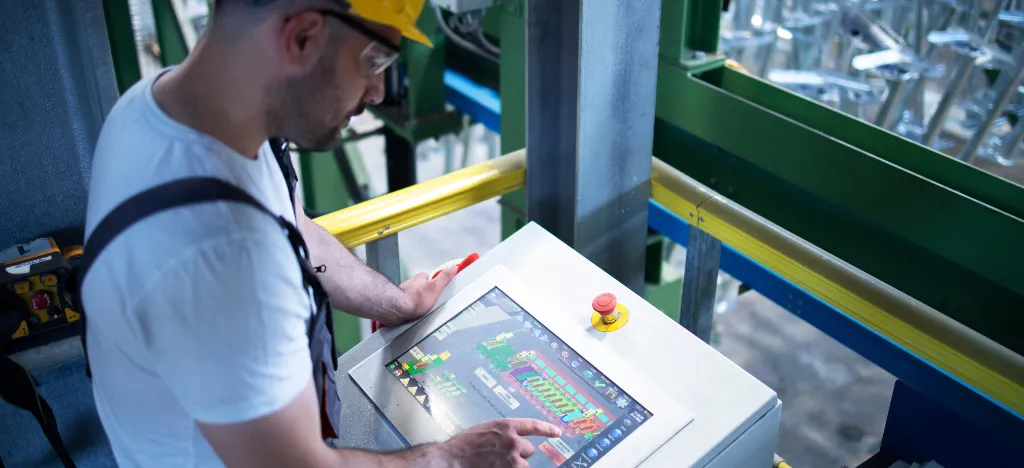
Which is the best CMMS for industrial factories? Img
VistrianMMS vs UpKeep: Which CMMS Works for Scale? Img

VistrianMMS vs UpKeep: Which CMMS Works for Scale?

Introduction

In the Industry 4.0, maintenance is about predicting what could go wrong and preventing it before-hand.

Modern Computerized Maintenance Management Systems (CMMS) are redefining how manufacturers manage assets, prevent downtime, and maintain productivity across facilities. But not all CMMS platforms are built the same.

Let’s deep dive into two effective industrial softwares, VistrianMMS and UpKeep to help you decide which platform is better suited for large-scale, data-intensive operations.

While both offer powerful features, their architecture, flexibility, and depth of IIoT integration vary greatly. 

VistrianMMS vs UpKeep: Which CMMS Works for Scale? Img

Scalability Across Multi-Site Operations

VistrianMMS keeps an eye on every corner. 

  • Designed for enterprise-wide deployment, across multiple plants
  • Centralized dashboards with local autonomy for scheduling and reporting
  • Ideal for large manufacturers with a focus on total operational visibility

UpKeep fits right in your technician’s pocket.

  • Scalable across sites, but complex workflows may require tier upgrades
  • Offline support on mobile, ideal for field-based technicians
  • Best for mid-sized teams looking for usability over customization
VistrianMMS vs UpKeep: Which CMMS Works for Scale? Img

Maintenance Intelligence & Usability

VistrianMMS does multitasking. 

  • Focused on predictive analytics, root-cause analysis, and real-time anomaly detection
  • Provides deep maintenance insights based on live equipment behaviour
  • Embedded within the FactoryLOOK ecosystem for complete context visibility
  • Built for maintenance managers who want depth, without toggling between platforms

UpKeep keeps it simple. 

  • Offers work order automation, inventory management, and mobile dashboards
  • AI suggestions and predictive triggers are available in higher subscription tiers
  • Popular for its intuitive UI and ease of onboarding
  • Appeals to field service and facility maintenance teams more than heavy manufacturing

Speed vs Depth: What’s Right for You?

Choosing between VistrianMMS vs UpKeep boils down to your maintenance maturity and scale of operations.

VistrianMMS is ideal if you need deep, real-time integration with shop-floor machines, predictive insights, and centralized visibility across large facilities.

UpKeep is better suited for teams looking for mobile-first tools, simple work order management, and gradual expansion into IIoT-based maintenance.

If your factory is growing fast, operating at scale, and needs tight coordination between machines, maintenance, and data, VistrianMMS offers a more integrated, future-ready platform.

VistrianMMS vs UpKeep: Which CMMS Works for Scale? Img

Get a Bird-eye View of Your Factory

For smart, scalable maintenance that sees ahead, VistrianMMS brings precision to every machine and process.
Step into the next industrial revolution with VistrianMMS. 

What is a Manufacturing Execution System (MES) and why do you need one? Img

What is a Manufacturing Execution System (MES) and why do you need one?

Introduction

Imagine you’re running a factory with machines, people, and products moving from one step to the next without any supervision. Now imagine a system that watches everything happening on the factory floor in real time. That’s what an MES does.

A Manufacturing Execution System (MES) is software that helps you manage, track, and control everything that happens during production. 

Why is MES important for manufacturers?

MES acts like the central nervous system of a factory. It connects machines, people, and data to help operations run smarter, faster, and with fewer surprises.

For manufacturers, that means:

  • Better coordination between teams
  • Faster response to production issues
  • More predictable maintenance 
  • Fewer delays and rework
  • Real-time visibility into performance metrics

Whether you’re running a high-volume plant or managing complex assemblies, an MES gives you the clarity needed to reduce waste, improve quality, and maximize uptime; especially when paired with predictive maintenance tools.

What is a Manufacturing Execution System (MES) and why do you need one? Img

What are the key benefits of using an MES?

A well-implemented MES delivers real and measurable results. Here’s what you can expect:

  • Improved product tracking and genealogy: Know exactly where each part comes from and where it goes.
  • Fewer manual errors: Replace spreadsheets and paper trails with real-time digital records.
  • Increased uptime: Feed MES data into predictive maintenance platforms like FactoryLOOK for early warning and fewer breakdowns.
  • Lower costs: Optimize material use, reduce scrap, and keep production moving.

When combined with IIoT benefits, MES becomes a foundation for continuous improvement and operational excellence.

What is a Manufacturing Execution System (MES) and why do you need one? Img

What is the difference between MES and ERP?

People often confuse MES with ERP, but in reality, they do very different things.

  • ERP (Enterprise Resource Planning) handles business-wide functions like HR, finance, procurement, and supply chain planning. It tells you what to make and when.
  • MES, on the other hand, operates on the shop floor. It tells you what’s actually happening and helps you fix it when things go off track.
What is a Manufacturing Execution System (MES) and why do you need one? Img

Your Factory’s Brain

MES connects machines, people, and processes in one unified system. It tracks production as it happens, highlights deviations, and keeps your team informed with real-time insights. Give your factory a new brain by visiting vistrian.com

FactoryLOOK vs ThingWorx: Which Is Better for Real-Time Visibility? Img

FactoryLOOK vs ThingWorx: Which Is Better for Real-Time Visibility?

Introduction

In the age of smart manufacturing, are you keeping an eye on your machines?  

Today’s factories run on real-time data, where every second matters and every delay costs. To stay competitive, manufacturers need insights that are clear, immediate, and actionable.

Two platforms leading the race for visibility on the shop floor are FactoryLOOK by Vistrian and ThingWorx by PTC. While both promise real-time monitoring, their approach, usability, and fit for modern manufacturing vary widely.

This MES comparison breaks down the key differences between FactoryLOOK vs ThingWorx to help you identify which platform gives you the edge in speed, setup, and shop-floor focus.

FactoryLOOK vs ThingWorx: Which Is Better for Real-Time Visibility? Img

1. Ease of Use

One of the most important aspects of any industrial software is how quickly it can be adopted by the people who use it daily; mostly operators, line managers, and floor supervisors.

UsabilityFactoryLOOKThingWorx
Dashboard setupReady-to-use; no development neededRequires custom build
User interfaceSimple and intuitive for non-technical teamsFlexible but more complex
IT dependencyMinimal; can run without IT supportHigh; developer involvement required
Best forQuick adoption across shiftsEnterprises with dedicated technical teams

2. Setup Time

Every day lost in setup is a day without actionable data and in manufacturing, that can translate to lost revenue. Shorter deployment times mean faster visibility and quicker impact on productivity. Here’s how FactoryLOOK and ThingWorx compare when it comes to going live.

Setup TimeFactoryLOOKThingWorx
Deployment speedDays to deployWeeks to months
Installation complexitySimple, no heavy configurationsComplex, requires multiple configurations
Pre-built featuresYes; ready for immediate useNo; most features need custom development
Ideal forTeams needing instant visibilityLarge projects with long lead times

3. Factory-First Focus

Not all industrial visibility tools think like a manufacturer. A factory-first approach prioritizes real-time machine health, uptime, and production metrics that directly affect shift performance. This is where the design philosophy of each platform becomes clear.

Focus AreasFactoryLOOKThingWorx
Core designBuilt specifically for manufacturingBuilt for broad industrial use
KPI focusShop-floor productivity and responsivenessGeneral industrial and cross-sector metrics
Real-time insightsTailored to manufacturing eventsVariable; not always shop-floor focused
Best fitDiscrete manufacturing plantsMulti-industry digital transformation projects
FactoryLOOK vs ThingWorx: Which Is Better for Real-Time Visibility? Img

Speed vs Flexibility

When it comes to real-time visibility, the right solution depends on your operational maturity, team structure, and goals.

FactoryLOOK is ideal for manufacturers who want clarity without complexity. It simplifies smart manufacturing with speed, ease of use, and immediate insights tailored for shop-floor teams.

ThingWorx shines in highly customized, multi-industry scenarios, but it requires technical depth and longer setup times, making it a better fit for enterprises with advanced IT resources.

FactoryLOOK vs ThingWorx: Which Is Better for Real-Time Visibility? Img

Choice is Simple

If your factory needs hassle-free software that delivers real-time insights, without relying on a developer, FactoryLOOK makes the decision easy. Visit our website to explore how it can transform your shop floor.

' defer='defer ' defer='defer ' defer='defer ' defer='defer ' defer='defer ' defer='defer ' defer='defer ' defer='defer ' defer='defer ' defer='defer ' defer='defer ' defer='defer ' defer='defer ' defer='defer ' defer='defer ' defer='defer